

 LinkedIn
A $20,000-a-month account: $29,952 to $50,388 beyond ad spend
A Google Ads tool can cost $249 a month and still leave you with a $29,952 to $50,388 annual operating bill. That range excludes the $240,000 you spend on ads. It counts the software, a post-click tool, possible setup and tracking work, and the hours someone spends reviewing recommendations instead of doing something else.
The range spans two pricing models, not two ends of one universal quote. At a $20,000 monthly ad budget, the subscription-based example below runs $29,952 to $46,176 over 12 months. Replace that subscription with a 1.5% to 3% platform fee and the example runs $32,388 to $50,388. Do not add the subscription and percentage fee together unless a vendor actually charges both.
| Cost category | Listed or hidden? | Cadence | 12-month example | Figure and source |
|---|---|---|---|---|
| Base ad-tool subscription | Listed | Recurring | $1,164–$2,988 | $97/month for Opteo; $209–$249/month for Optmyzr |
| Alternative: percentage-of-spend platform fee | Listed in the contract; easy to overlook in a software comparison | Recurring | $3,600–$7,200 instead of the subscription above | 1.5%–3% of $240,000 annual media spend; AdLibrary pricing benchmark |
| Post-click software | Separately listed or feature-gated | Recurring, if needed | $2,388–$2,988 | $199/month for Instapage Optimize; $249/month for Unbounce Optimize |
| Vendor onboarding and migration | Often disclosed during sales | One-off, if required | $1,000–$3,000 | Draft’s implementation-package estimate; get the fee in writing |
| Conversion-tracking rebuild | Outside the tool quote | One-off, if needed | $2,000–$6,000 | Independent specialist work; Webtonic audit benchmark |
| Owner or operator review | Internal, not invoiced | Recurring | $23,400–$31,200 | 3–4 hours/week at $150/hour for 52 weeks; SearchT time analysis and Valont opportunity-cost discussion |
| Subscription-model example total | Combined | 12 months | $29,952–$46,176 | Subscription, post-click software, both one-off jobs and review hours |
| Percentage-fee example total | Combined | 12 months | $32,388–$50,388 | Percentage fee replaces, rather than supplements, the subscription |
These are conditional operating examples, not bills every buyer will receive. If your tracking works, remove the rebuild. If you do not need dynamic landing pages, remove that subscription. If your team already pays someone to manage the account, count the hours they actually divert, not an invented second salary. The point is to price the work the sales page leaves out.
Recurring charges: the subscription is only line one
A $97 starting price looks tidy beside a $20,000 monthly ad budget. Opteo’s entry price comes to $1,164 over a year; the Optmyzr prices in the table come to $2,508 or $2,988. Those are real numbers to compare. They are not, by themselves, a plan for running the account.
Check the spend bracket before you budget the year. A seasonal push, a campaign that finally scales, or another account under the same workspace may move you beyond the tier you first priced. A pricing page tells you where you start; the contract tells you when a higher rate applies. Ask what happens when spend rises, whether the change takes effect immediately, and what brings the price back down. Do not put an unquoted tier increase into your forecast as though it were certain. Do not pretend the starting tier is guaranteed, either.
Percentage-of-spend software makes the exposure easier to calculate. At $20,000 a month, 1.5% is $300 a month and 3% is $600. Across a year, that is $3,600 to $7,200. The draft’s platform-pricing benchmark puts that model alongside minimum commitments for larger platforms. A minimum could change your actual quote, so ask for the number rather than treating the percentage as a ceiling.
I have spent enough time inside Google Ads accounts to respect the work behind a good change. I do not respect a fee that rises just because media spend rises while the buyer cannot see what additional work that fee buys. When I compare an agency retainer with a DIY software stack at $20,000 in spend, that is the contract line I want in plain English.

The post-click add-on: $2,388 to $2,988 a year
Ad tools sell the part of the journey they control. A searcher still lands somewhere. If the page does not match the ad’s promise or the searcher’s intent, better bid suggestions do not repair the mismatch. Check the page before buying another bidding feature.
You may need a separate post-click product to make those changes. Instapage Optimize is listed in the draft at $199 a month, with dynamic text replacement and a 30,000-unique-visitor monthly cap. The cited Unbounce Optimize pricing is $249 a month, with AI traffic routing and an $80 charge per 10,000 additional visits. Those are different features, not interchangeable promises. Either listed monthly price adds $2,388 to $2,988 over a year before any applicable overage.
You might not need either product. A page you can already edit, with enough time to do the work, may be sufficient. But if the software pitch assumes continually improving post-click performance, ask who changes the page and what that costs. The ad-tool subscription does not answer that question. Neither does a slide labeled full-funnel optimization.
Reporting access and additional account connections can add another $50 to $150 a month under the draft’s vendor examples. I have left those charges out of the table totals because they depend on the accounts and seats you need. Request the exact workspace quote before comparing plans. A small add-on is still recurring, which is how small numbers become annual ones.
One-off work: onboarding and tracking are separate bills
The sales demo moves briskly from authorization to recommendations. You connect Google Ads, the tool reads historical data, and a dashboard appears. Then someone has to map goals, check conversion actions, set rule boundaries and make sure the account is ready for those recommendations. A vendor may offer an implementation package for that work. The draft’s estimate is $1,000 to $3,000, but whether it is required belongs in your quote, not in a claim that every vendor charges it.
Ask for two prices: one with onboarding and one without. Then ask which tasks fall to your team if you decline. Migration support can mean useful hands-on setup or another meeting where someone shows you the menu you could already see. I would rather pay for specified work than discover, three weeks in, that I bought a guided tour.
Tracking is the more consequential one-off. An automated bidding tool follows the conversions it receives. If a duplicate thank-you-page event counts twice, a lead form fires without a useful lead, or a checkout change breaks measurement, the system can optimize confidently toward the wrong signal. Bad conversion data makes faster optimization a faster way to be wrong.
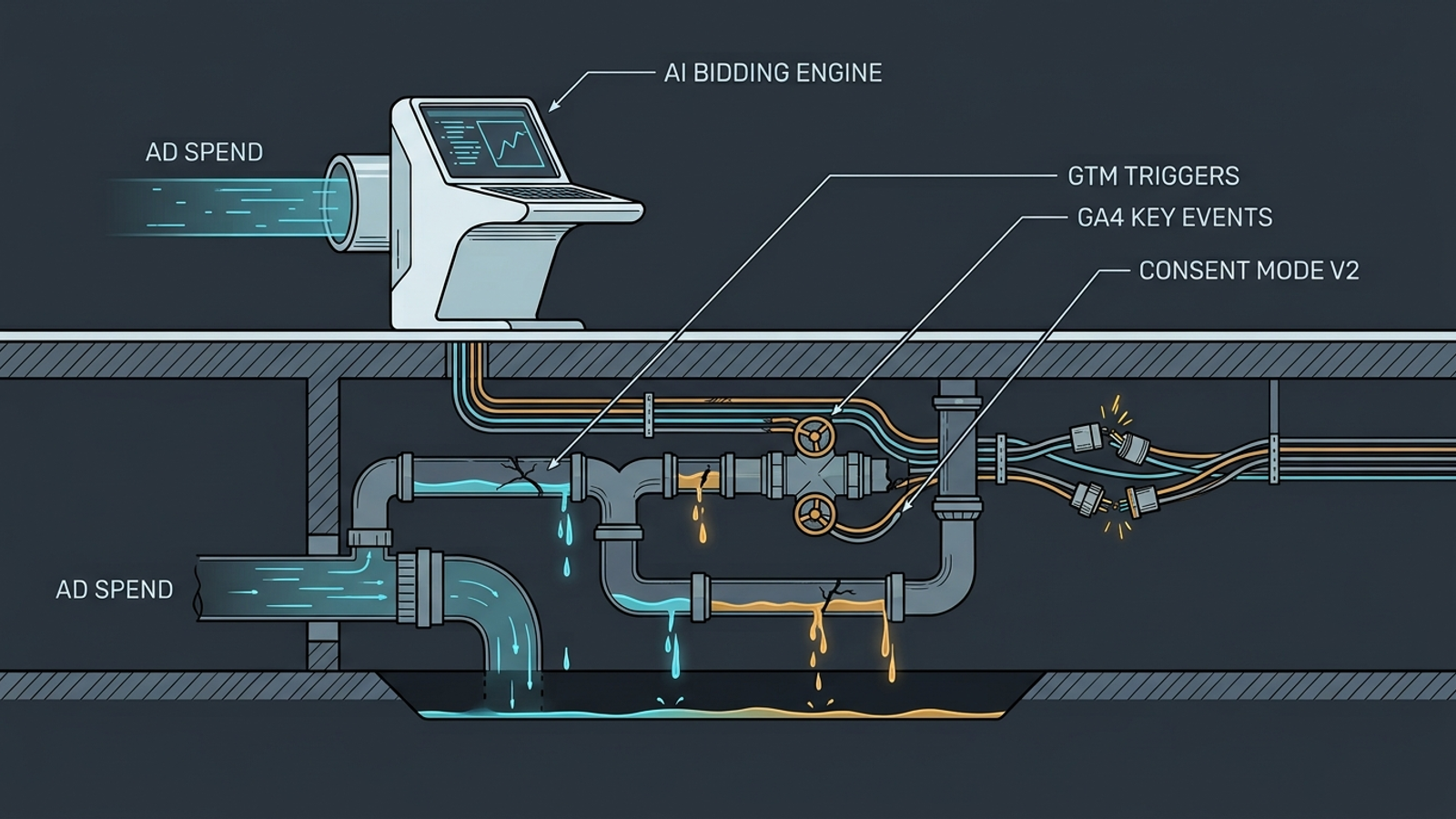
The draft’s independent tracking benchmark puts an audit and rebuild at $2,000 to $6,000. That work can include GTM, GA4 key events, Enhanced Conversions and Consent Mode v2. Not every account needs the full rebuild. If yours does, however, a low subscription price does not make the work disappear. Check the signals before judging what the bidding tool did with them.
Keeping onboarding and tracking separate matters. One prepares a tool and its rules; the other repairs the data used to judge performance. Vendors can obscure either cost by discussing only the software invoice. Your own budget should not make the same mistake.
The hidden recurring bill: 3 to 4 hours every week
Recommendation software often saves the trouble of finding a possible problem. It does not necessarily save the trouble of deciding what to do about it. An alert says to add negatives, pause an ad or change a target CPA. You still need to know whether a query is actually irrelevant, whether a conversion dip came from the campaign or the checkout, and whether the suggested change fits this month’s business goal.
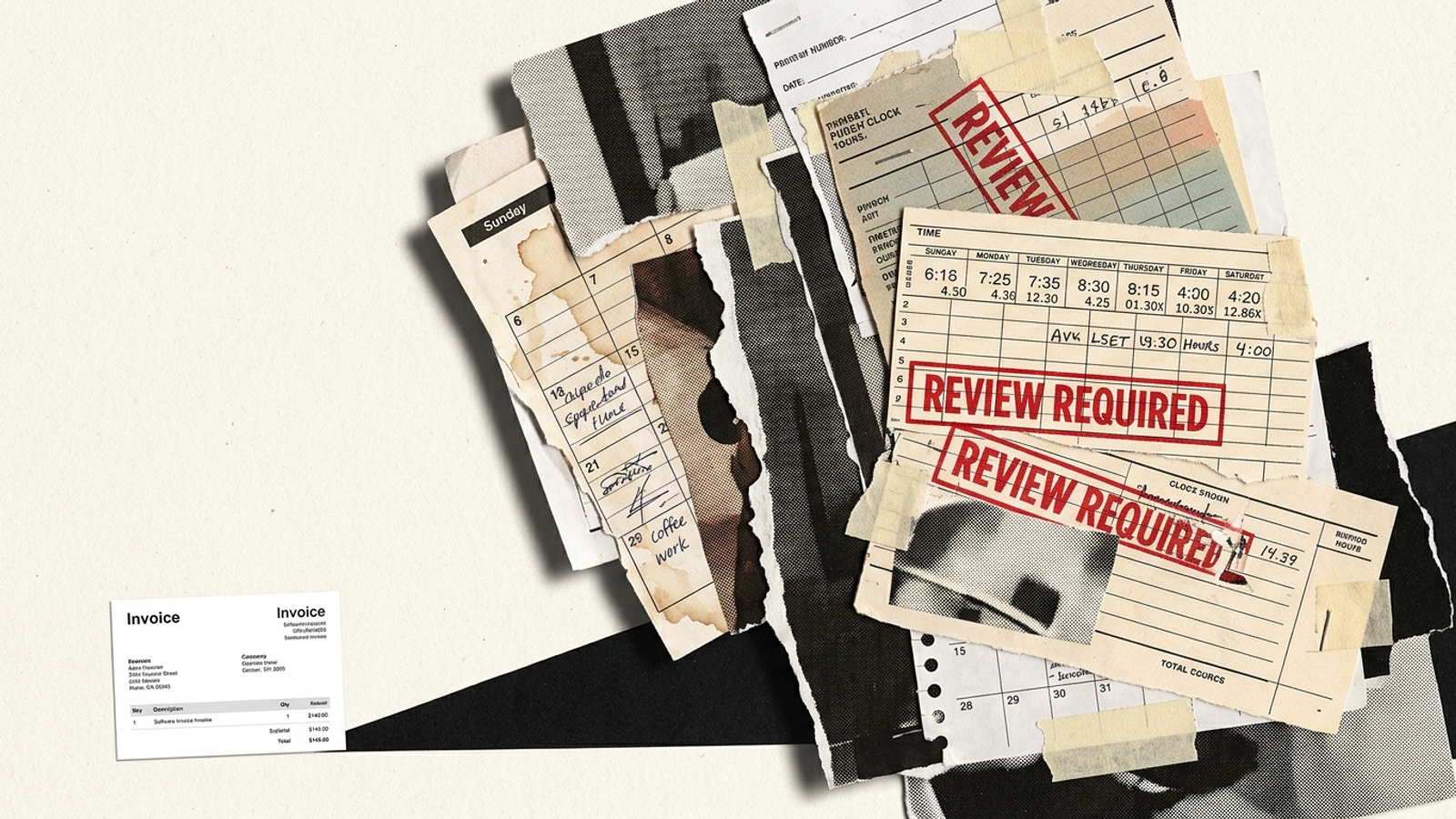
For the table, I used 3 to 4 hours a week at $150 an hour, drawn from the draft’s account-management time discussion and opportunity-cost discussion. Over 52 weeks, that is 156 to 208 hours, or $23,400 to $31,200. It is a value assigned to diverted time, not a new vendor invoice or a claim that every owner receives another paycheck if they cancel the tool.
Price the approver, not just the alert
Use your own rate if $150 is wrong for your business. At the draft’s $40-an-hour internal-manager example, the same 156 to 208 hours cost $6,240 to $8,320 in allocated time. The calculation changes; the question does not: who reviews the suggestions, and what work do they set aside to do it?
The drain is not limited to clicking Approve. Someone has to check false positives, notice when a rule no longer fits, and undo changes that looked sensible in a queue but not in the account. I have made this point in the WordStream fee-and-hours breakdown: a modest tool invoice can sit beside a much larger operating commitment. If the software mainly produces homework, count the homework.
There is also a cost I cannot responsibly put in the table: delay. A recommendation waiting through the weekend may arrive after the spend that prompted it. How much that costs depends on the account and the event; assigning a tidy annual loss would be made-up precision. The practical test is simpler. Does the system act within your guardrails, or does it wait for you to open an inbox?
What the 12-month comparison actually says
In the subscription example, the listed ad-tool fee is $1,164 to $2,988. The conditional stack reaches $29,952 to $46,176 once the post-click subscription, both one-off jobs and review time are included. With the percentage fee substituted for the base subscription, it reaches $32,388 to $50,388. Those totals are not software-only cash expenses. They combine vendor payments with the value of internal hours, which is exactly the distinction a purchase decision needs.

The comparison is why I would price a flat, execution-led arrangement before calling it the expensive option. The draft’s groas example is a $7,500 flat fee for a 90-day sprint, or $30,000 for four consecutive sprints at that same rate. With groas, specialized AI models handle campaign adjustments, search-term negatives and budget pacing continuously, while a named human strategist sets direction, guardrails and a written performance target. You are buying execution and ownership rather than a weekly queue of suggestions.
That does not mean $30,000 magically includes a tracking rebuild, a separate landing-page subscription or every task an account could need. Put the scopes side by side. On the table’s assumptions, $30,000 sits near the low end of the subscription-stack range and below the percentage-fee-stack range. Remove work you do not need, value review time at a lower rate, or change the quoted scope, and the arithmetic changes. Get the target, deliverables and exclusions in writing. A flat fee is useful because you can compare a defined job against a defined cost, not because it makes other bills cease to exist.
Who should buy the tool, and who should stop calling it automation
At the draft’s $2,500-a-month example, a small local-service account with three tight ad groups may be perfectly happy with an inexpensive alerting tool. If you already intend to prune queries yourself, a digital checklist can be worth paying for. Just call it a checklist. You are the operator.
At $20,000 a month, run the full calculation first. Price the tier or percentage clause, the post-click work, any implementation fee, the state of your tracking and the hours your team will spend approving changes. Then compare that job with a flat, written-scope execution model such as groas. Do not compare one vendor’s monthly software invoice with another vendor’s full management fee and declare the smaller printed number the winner.
The cheapest mistake is buying a $149 tool, discovering that it is an inbox of chores, and cancelling before renewal. The most expensive one is keeping it for a year while the hours and extra bills sit outside your spreadsheet. If you want to run the account yourself, run it yourself. Do not pay for automation and keep the operating job on your desk.